[TOC]
包结构与架构
包的结构与说明
1
2
3
4
5
6
7
8
9
10
11
12
13
14
| universalimageloader|
|-cache
|-disc
|-memory
|-core
|-assist
|-decode
|-display
|-download
|-imageaware
|-listener
|-process
|-utils
|
整体设计架构与说明
结构图表示
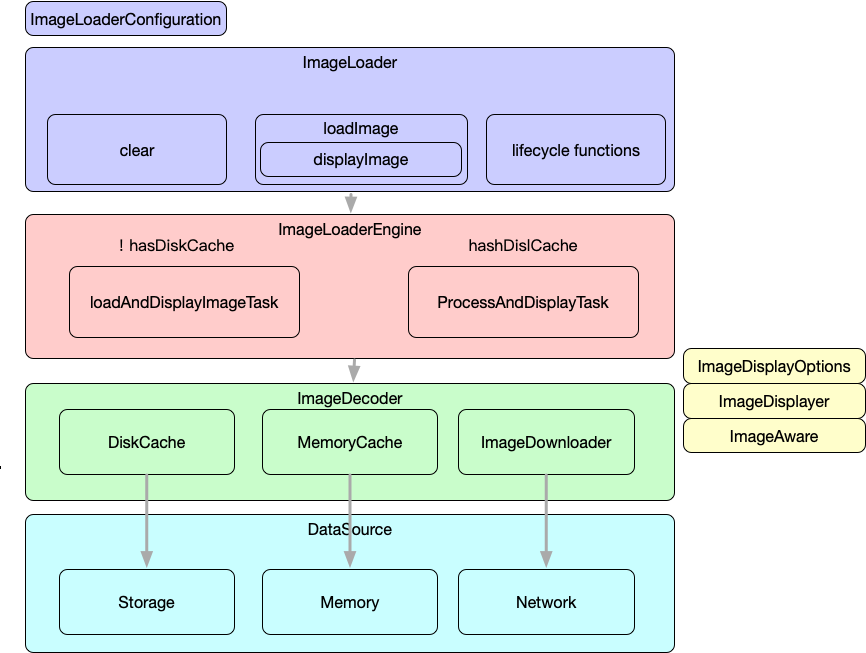
各模块的说明
整个库一级划分为cache, core , util 三个大模块.
core: 核心模块分为decode(解码), display(展示),download(下载), imageAware(显示图片的包装),process(处理图片) 五个重要的模块.此外,尤其要注意
ImageLoaderEngine, ImageDecorder, BitmapDisplayer, BitmapProcessor, ImageDownloader, ImageAware 这几个重要的类.
cache: 缓存模块分为disc缓存和memory缓存两个模块
utils:工具类模块, 如缓存工具类|Log|图像处理等.
加载图片流程
用一张图简单的标识图片加载流程
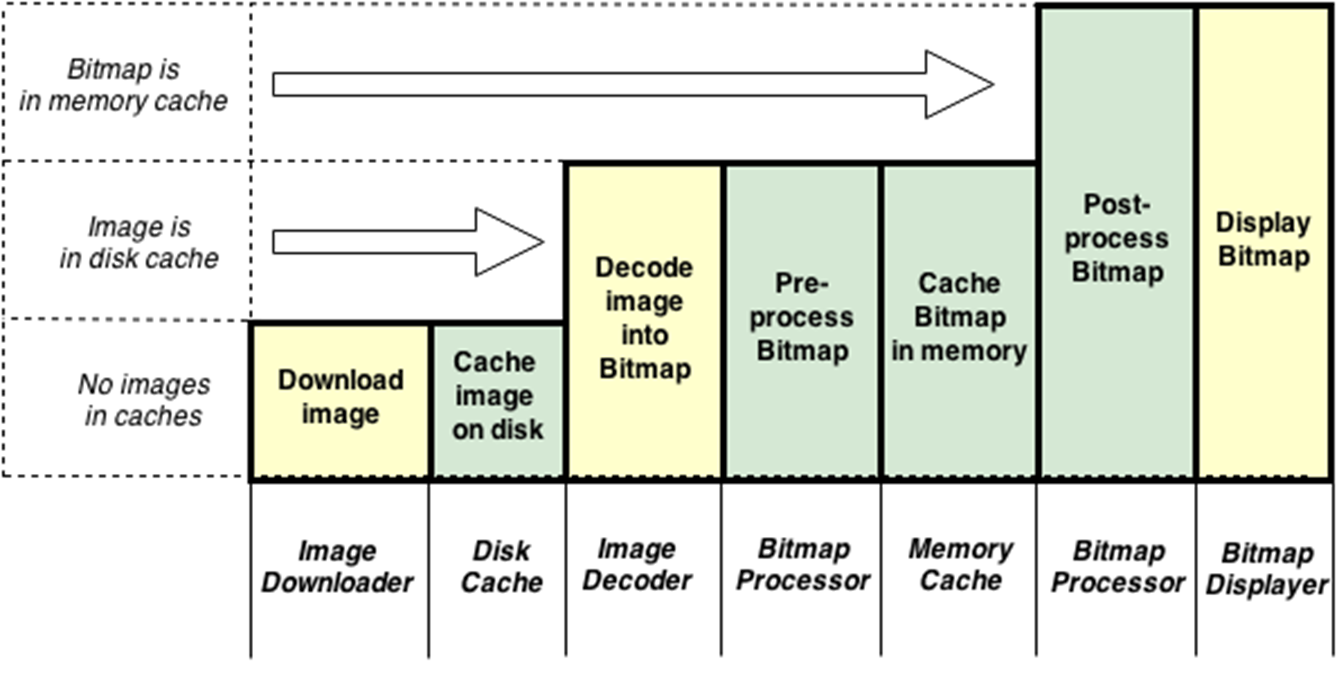
加载流程图
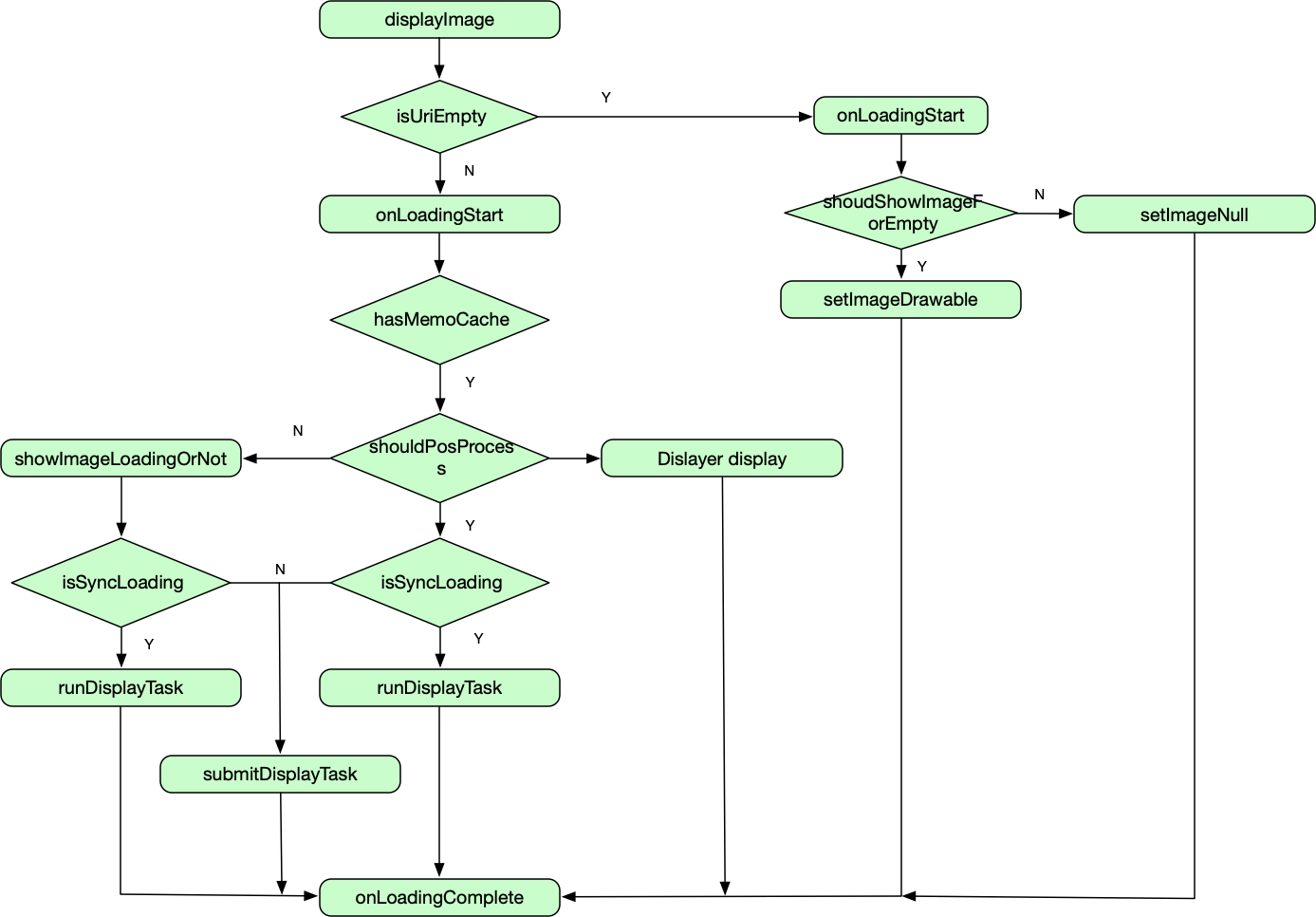
详细执行流程
加载的时序图
loadImage本质也是调用displayImage因此直接看displayImage的执行流程即可.
ImageLoader.getInstance().displayImage(uri, imageview, options, listener);
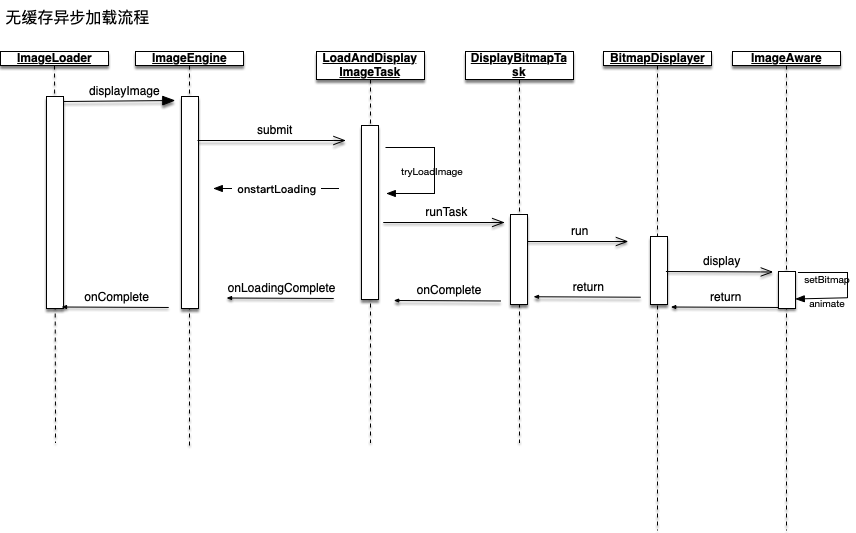
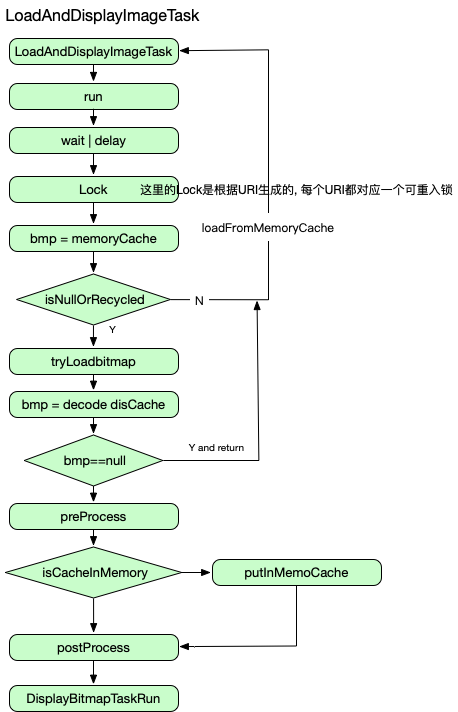
有缓存的时候, 先去检查缓存.参考流程图
DisplayTask 的详细执行流程图
参考LoadAndDisplayimageTask中的run方法
//TODO UML
缓存算法详解
包结构
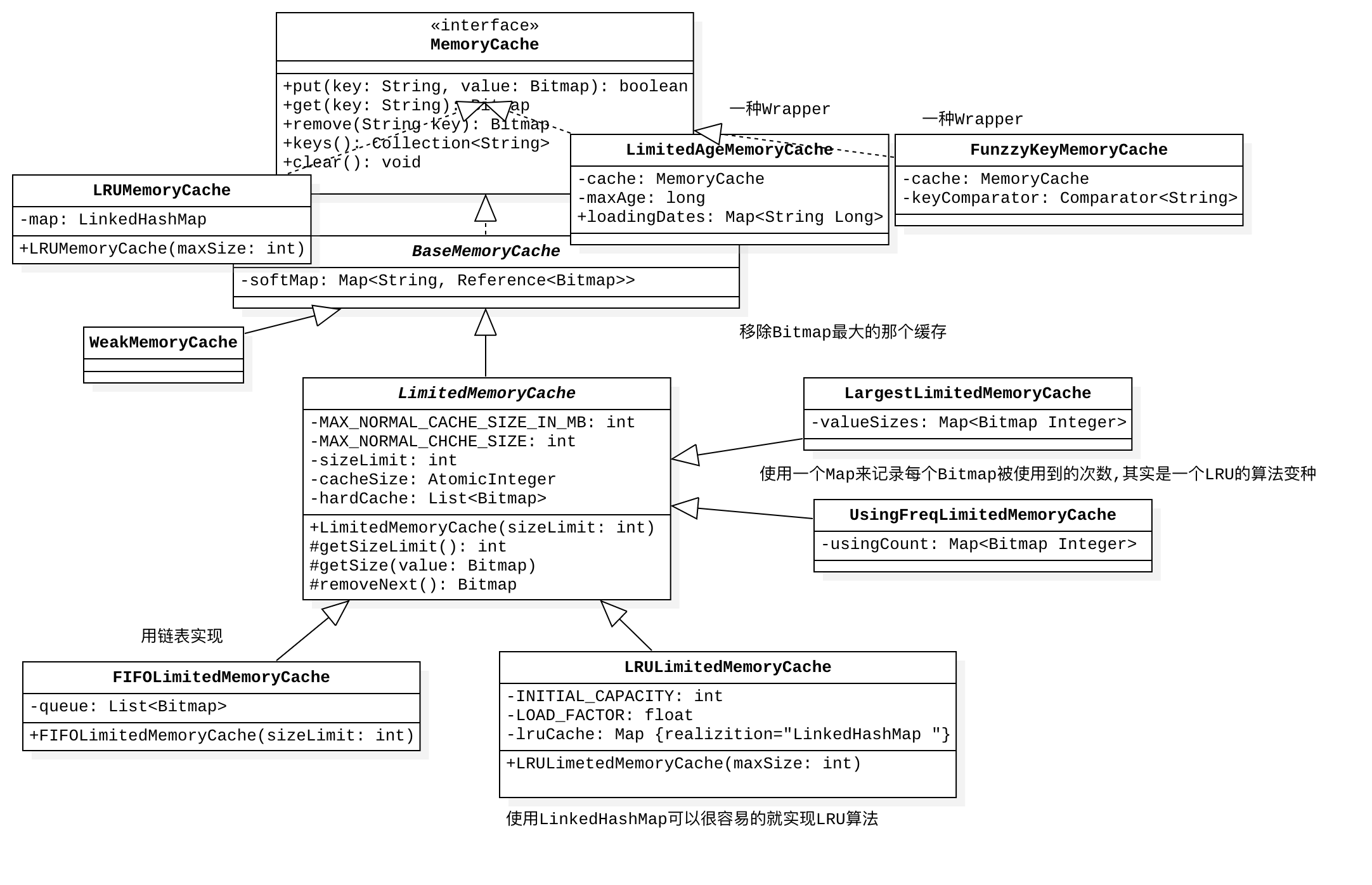
缓存算法从缓存位置上划分为两种, memory和disc.
1
2
3
4
5
6
7
8
9
10
| |-cache
|-disc
|-impl(具体实现)
|-naming(文件命名工具)
|-DiskCache:interface(对外接口)
|-memory
|-impl(具体实现)
|-BaseMemoryCache
|-LimitedMemoryCache
|-MemoryCache:interface(对外接口)
|
UML
内存缓存
磁盘缓存
解码器与下载器
1
2
3
4
5
6
7
8
9
10
11
12
13
14
15
16
17
18
19
20
21
|
@Override
public InputStream getStream(String imageUri, Object extra) throws IOException {
switch (Scheme.ofUri(imageUri)) {
case HTTP:
case HTTPS:
return getStreamFromNetwork(imageUri, extra);
case FILE:
return getStreamFromFile(imageUri, extra);
case CONTENT:
return getStreamFromContent(imageUri, extra);
case ASSETS:
return getStreamFromAssets(imageUri, extra);
case DRAWABLE:
return getStreamFromDrawable(imageUri, extra);
case UNKNOWN:
default:
return getStreamFromOtherSource(imageUri, extra);
}
}
|
1
2
3
4
5
6
7
8
9
10
11
12
13
14
15
16
17
18
19
20
21
22
23
24
25
26
27
28
29
30
|
@Override
public Bitmap decode(ImageDecodingInfo decodingInfo) throws IOException {
Bitmap decodedBitmap;
ImageFileInfo imageInfo;
InputStream imageStream = getImageStream(decodingInfo);
if (imageStream == null) {
L.e(ERROR_NO_IMAGE_STREAM, decodingInfo.getImageKey());
return null;
}
try {
imageInfo = defineImageSizeAndRotation(imageStream, decodingInfo);
imageStream = resetStream(imageStream, decodingInfo);
Options decodingOptions = prepareDecodingOptions(imageInfo.imageSize, decodingInfo);
decodedBitmap = BitmapFactory.decodeStream(imageStream, null, decodingOptions);
} finally {
IoUtils.closeSilently(imageStream);
}
if (decodedBitmap == null) {
L.e(ERROR_CANT_DECODE_IMAGE, decodingInfo.getImageKey());
} else {
decodedBitmap = considerExactScaleAndOrientatiton(decodedBitmap, decodingInfo, imageInfo.exif.rotation,
imageInfo.exif.flipHorizontal);
}
return decodedBitmap;
}
|